Understanding TradingView: The Essential Tool for Traders
In the constantly evolving world of trading, having the right tools can make all the difference between success and stagnation. TradingView emerges as a powerful platform that caters to traders across various markets, including stocks, forex, cryptocurrencies, and derivatives. This comprehensive tool not only offers an intuitive interface but also combines essential features such as advanced charting, customizable alerts, and robust backtesting capabilities. When exploring options, TradingView provides comprehensive insights that can significantly enhance your trading experience.
What is TradingView?
TradingView is an advanced web-based platform that provides real-time market data and interactive charts for trading various assets. It caters to both beginner and advanced traders by offering unique features such as social networking capabilities, allowing users to share ideas and strategies. Essentially, TradingView serves as a comprehensive hub for traders to analyze market trends, develop strategies, and execute trades seamlessly.
Key Features of TradingView
- Advanced Charting Tools: With an array of chart types and indicators, TradingView allows users to visualize their trading strategies effectively.
- Custom Alerts: Users can set specific alerts based on price movements or indicators, ensuring they never miss critical trading opportunities.
- Pine Script: TradingView’s proprietary scripting language enables traders to create custom indicators and automated strategies.
- Community Collaboration: Traders can interact with a vast community, sharing insights, analyses, and strategies.
- Cross-Platform Accessibility: The platform is available on web browsers as well as desktop and mobile applications for iOS and Android, ensuring access on the go.
How TradingView Enhances Your Trading Strategy
By consolidating various trading tools into one platform, TradingView enhances the efficiency of the research and trading process. Traders can analyze price movements, notice trends, and apply technical analysis without the hassle of switching between multiple applications. This integrated approach allows for a smoother transition from research to execution, ultimately saving time and increasing the likelihood of successful trades.
Setting Up Your TradingView Workspace
Creating a personalized workspace in TradingView is pivotal to streamlining your trading process. By customizing your dashboard, you can prioritize the tools and information that matter most to your trading strategy.
Customizing Your Dashboard for Maximum Efficiency
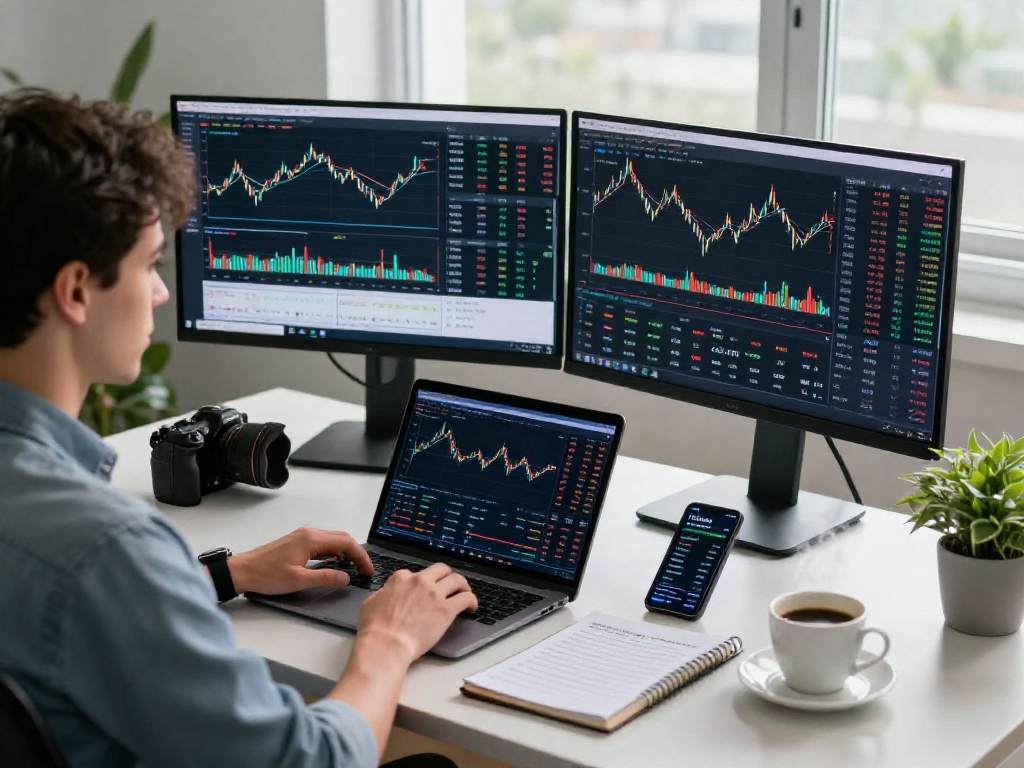
To maximize efficiency, traders should tailor their TradingView dashboards. This can include arranging your workspace by grouping frequently used features—such as charts, alerts, and news feeds—into easily accessible locations. Additionally, utilizing multiple layouts for different trading strategies can help provide the necessary perspective for various market conditions.
Integrating Other Tools with TradingView
TradingView works well with several other trading tools, enhancing its capability. For instance, integrating your broker account with TradingView can enable you to execute trades directly from the charts, creating a seamless workflow. Additionally, leveraging third-party tools like economic calendars can enhance your fundamental analysis, providing a fuller picture of market movements.
Best Practices for Analyzing Market Data
Adopting best practices for market analysis on TradingView can significantly improve your trading outcomes. Here are some tips:
- Utilize Multiple Time Frames: Analyzing different time frames can help identify trends and potential reversals.
- Combine Technical Indicators: Use a combination of indicators (like RSI, MACD, and moving averages) to enhance your analytical framework.
- Engage with Community Insights: Leverage the knowledge within the TradingView community to gain varied perspectives and insights.
Analyzing Market Trends Using TradingView
Market analysis is crucial for anticipating future price movements and making informed trading decisions. TradingView offers various tools to assist in this process, effectively turning complex data into actionable insights.
Using Charts and Indicators Effectively
TradingView’s interactive charts come equipped with a multitude of built-in indicators and drawing tools. By effectively utilizing these features, traders can identify trends and potential entry and exit points. For example, traders can apply Fibonacci retracement levels to discern potential support and resistance levels, enhancing their market analysis.
Creating Alerts for Key Market Movements
Setting alerts for specific price levels or indicator conditions can help traders stay informed without the need to monitor charts continuously. TradingView allows for customizable alerts via app notifications or emails, enabling traders to act swiftly when market movements align with their strategies.
Understanding Pine Script for Custom Indicators
Pine Script is a unique feature of TradingView that allows users to create custom indicators and backtest their trading strategies. Mastering Pine Script can significantly enhance your trading toolkit, providing the ability to tailor indicators specifically to your trading strategy. Through testing and refinement, traders can develop personalized tools that align with their trading style.
Backtesting Strategies: Evaluate Before You Invest
One of the significant advantages of using TradingView is the ability to backtest trading strategies before committing real capital. The Strategy Tester tool provides detailed insights into the effectiveness of trading systems over historical data.
Using the Strategy Tester in TradingView
The Strategy Tester in TradingView allows users to apply their trading strategies to historical data to evaluate their performance. By analyzing metrics such as net profit, drawdown, and the number of trades, traders can refine their strategies before executing them in live markets.
Identifying Strengths and Weaknesses in Your Strategy
Backtesting helps traders identify the strengths and weaknesses of their strategies. For instance, if a certain strategy yields a high win rate but also has a high drawdown, adjustments might be necessary to mitigate risk while maintaining profitability.
Real-World Examples of Successful Strategies
Many traders have successfully used TradingView’s features to develop and apply profitable strategies. For example, a trader might utilize moving averages to identify long-term trends and employ RSI for entry and exit signals, effectively combining multiple analysis techniques to enhance reliability and profitability.
Future Trends in Trading: What to Expect in 2026
The trading landscape is continuously evolving, and staying ahead of the curve is crucial for traders. As we approach 2026, several emerging trends are set to shape the future of trading.
Emerging Technologies Impacting Trading
Technological advancements such as machine learning and artificial intelligence are beginning to dominate the trading industry. These technologies will allow for more sophisticated data analysis and risk management, potentially increasing the efficacy of trading strategies.
Predictions for Market Changes and Their Implications
Market volatility is expected to increase, necessitating the use of advanced analytical tools like TradingView. Traders who can adapt to these changes will find opportunities in both bullish and bearish markets.
Preparing for the Future with TradingView Tools
To prepare for these changes, traders should familiarize themselves with TradingView’s evolving tools and features. Continuous education on the platform’s updates and advancements will be essential in maintaining a competitive edge.
What is TradingView's Core Usage for New Traders?
For new traders, TradingView serves as a comprehensive educational platform, offering ample resources to learn market analysis, trading strategies, and risk management techniques. The community aspect of TradingView also allows new traders to interact with experienced users, gaining insights and knowledge that would be beneficial for their trading journey.
How Does TradingView Compare to Other Trading Platforms?
When compared to other trading platforms, TradingView stands out due to its robust charting capabilities and community features. While many platforms offer charting tools, TradingView integrates social trading features that enhance collaboration and learning among traders.
Can I Use TradingView for Analyzing Cryptocurrencies?
Absolutely! TradingView is highly effective for analyzing cryptocurrencies, offering real-time price data, advanced charting options, and in-depth analysis tools tailored for various crypto assets.
Are There Any Costs Associated with TradingView?
TradingView offers several plans, including a free tier with limited features and premium plans that unlock advanced tools and capabilities. Traders can choose a plan that best fits their trading needs and budget, ensuring they have access to the tools necessary for their trading success.
What Support Resources are Available for TradingView Users?
TradingView provides extensive support resources, including a help center with articles, tutorials, and community forums. Users can easily access valuable information to resolve their queries and enhance their understanding of the platform.
In conclusion, TradingView is not just a trading tool; it’s a comprehensive ecosystem that empowers traders to turn complex market data into actionable insights. By mastering its features and continuously adapting to market trends, traders can significantly enhance their trading strategies and achieve greater success.